
Color Muse
Variable, IncHouse & Home
4.2129.00 Reviews
- Version
- Varies With Device
- Installs
- 50.00K
- Age Rating
- Everyone
Screenshots
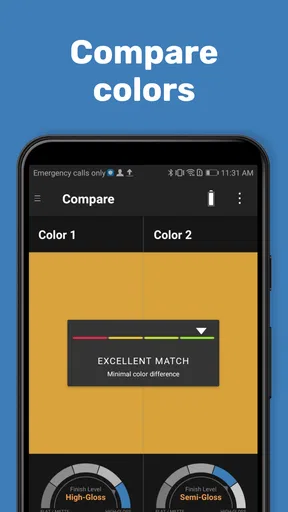
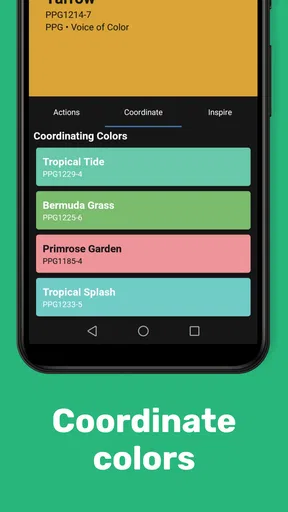
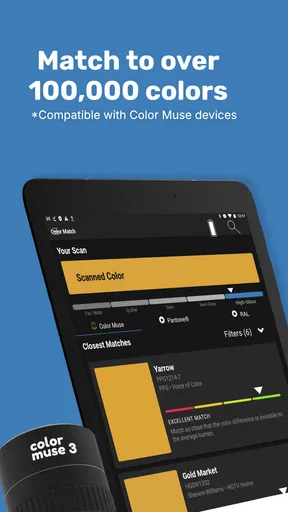
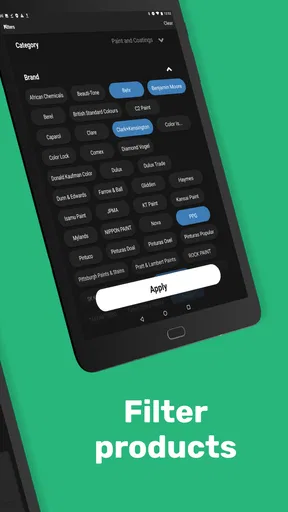
Our Review of Color Muse
 Analysis by Appyee
So, I recently had the chance to explore Color Muse, and let me tell you, it’s a game-changer if you’re into design or just love playing around with colors. Picture this: you’re walking by a stunning mural or a beautiful sunset, and you wish you could capture those colors for your next project. With Color Muse, that’s totally possible.
That first burst of curiosity is easy to understand: color is often the part of a home project that looks simple until you have to choose one shade and commit to it. I’d reach for this app when I have a real object, wall, fabric, or sample in front of me and want a more organized way to think about its color than relying on memory. Its strongest appeal is not that it turns every casual phone user into a color expert, but that it gives color-focused decisions a practical place to start.
There is one important distinction to keep in mind before building a routine around it. The app works with the Color Muse tool, and that pairing is central to its scan-and-match purpose. I would not treat the phone alone as a guaranteed instrument for selecting a final paint color. For a quick idea or shortlist, a camera-based impression can be useful; for a decision that needs to hold up on a wall, I’d still compare a physical sample under the room’s actual lighting.
Unlocking the World of Colors
First things first, downloading the app was a breeze. Available on both Android and iOS, it’s super accessible. Once you have it on your device, you’ll find that the interface is pretty user-friendly. I didn’t have to spend ages figuring out what does what, which is always a plus in my book.
As a House & Home app, it feels most worthwhile when a color choice has consequences beyond a screen: coordinating a room, checking a finish against an existing surface, or gathering ideas before visiting a shop. Variable, Inc developed it, and its basic appeal is easy to grasp even if you are not a designer. It is free to download, rated for Everyone, and has a 4.3 average from around 450 ratings, with over 50,000 installs. That gives a new user a sense of its audience without making it a substitute for trying the workflow personally.
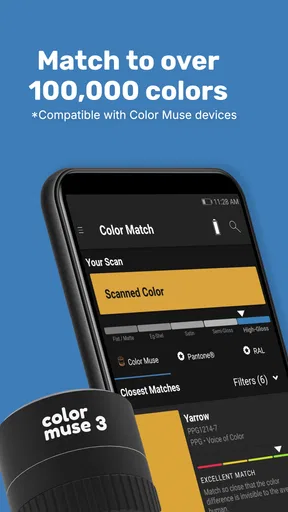
The main feature that blew me away is the app's ability to scan real-world colors. You simply point your phone’s camera at any object, and it identifies the exact color for you. Imagine having a personal color assistant in your pocket. It’s like magic!
In practice, I’d frame that scan as a starting point rather than a promise of an exact final match. Light, reflections, surface texture, and the angle of a phone can all change how a color appears to a camera. A glossy cabinet door, for instance, may reflect a window and produce a less useful reading than a matte sample held in steady, even light. My tip is to scan the same target more than once, from a couple of angles, and compare the results before deciding which shade to investigate. When accuracy matters, using the Color Muse tool is the more sensible route than trusting a phone-camera impression by itself.
Features That Stand Out
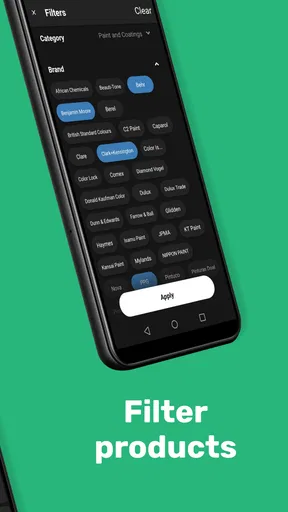
One of the coolest things about Color Muse is its extensive color library. We're talking thousands of shades that you can explore, and it even matches them to popular paint brands. This is perfect if you’re planning a home makeover or need precise color matches for your design projects.
That library becomes more useful when I approach it as a way to narrow choices, not as a reason to skip testing. Say I’m trying to coordinate a new accent color with a sofa I already own. I can use the sofa’s color as a reference, explore nearby options, then take a short list to compare against actual paint cards. This reduces the familiar problem of arriving at a store with only a vague description such as “warm gray” in mind. It also helps me keep the original object in view instead of choosing a color that looks appealing on its own but clashes with the room.
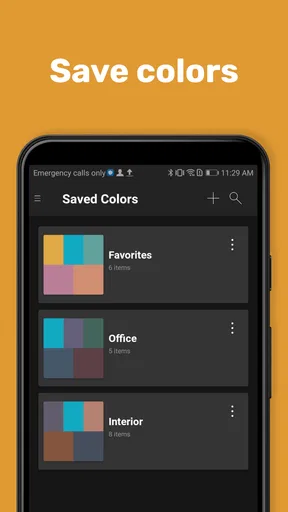
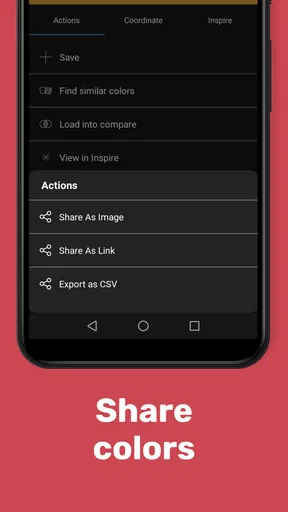
Another neat feature is the ability to save and organize colors into collections. I found this super handy for keeping track of different palettes I want to use in future projects. Plus, you can easily share these collections with friends or colleagues, making collaboration a breeze.
Collections are especially handy when a project has separate decisions that could otherwise blur together. I’d make one group for a bedroom and another for a hallway, rather than saving every attractive shade into a single running pile. For a shared renovation, a collection can give a partner or decorator something concrete to react to; it is much easier to discuss a small set of candidates than to keep sending individual color names back and forth. I would still add my own plain-language notes outside the color list—where I saw a shade, what surface it came from, and whether the light was warm or cool—because context is what makes a saved color useful later.
Playing with Colors
Let’s talk about the app’s color inspiration section. If you’re like me and sometimes get stuck in a creative rut, this feature is a lifesaver. It offers color palettes based on current trends, seasons, and even moods. It’s like Pinterest, but strictly for colors!
Inspiration is a different job from matching, and I like keeping those two stages separate. A mood or seasonal palette can help me decide what direction to explore, but it does not tell me whether that color will work with the fixed parts of my home, such as flooring, counters, or a large piece of furniture. I’d use inspiration to generate candidates, then compare those candidates against the surfaces that cannot easily be changed. That small step prevents a tempting palette from becoming an expensive mismatch.
Additionally, it allows you to explore colors by themes. Whether you’re looking for something bold and vibrant or soft and pastel, there’s a palette waiting for you. I spent way too much time playing around with this feature, but I regret nothing.
A realistic use would be planning a weekend refresh: I notice that a room feels dull, save a few possible accent colors during the week, and then check them in the room before buying anything. I’d look at the candidates near the furniture and at different times of day rather than deciding from a single glance. That makes the app helpful in the early decision stage, while a physical sample remains the better judge of how paint behaves across a full wall. The app can help me arrive at a focused shortlist; it cannot make lighting and room context irrelevant.
Precision and Accuracy
Now, I know what you might be thinking: how accurate can a phone camera really be? Surprisingly, the app does a great job. The color readings are impressively precise, thanks to its advanced calibration technology. Whether you’re a professional designer or just someone who loves color, you’ll appreciate the accuracy.
For a lasting result, I would separate “useful enough to compare” from “certain enough to purchase.” Screen settings can also make two people see the same saved color differently, so shared collections are best for discussing options rather than approving a final shade by phone. If I were selecting a color for a large, costly surface, I’d use the scan to reduce the number of possibilities, then judge a real sample in place. That extra check may feel less exciting than an instant match, but it is a practical safeguard against repainting because the chosen color shifts in the room.
And for those who want even more precision, the app pairs with the Color Muse device, a nifty little tool that enhances the accuracy of color scans. It’s perfect for when you need that extra assurance that your color matches are spot-on.
This is also the point where I’d ask whether the app deserves a regular place on my phone. If I make color decisions repeatedly—because I decorate, work with finishes, or help with home projects—the tool pairing and saved collections can support a habit that pays off over time. If I only need to pick a wall color once, the app may be more useful for that concentrated project than as something I open every week. The right choice depends less on how entertaining the first exploration feels and more on whether I expect to scan, compare, and revisit colors again.
Keeping the Habit Useful
The ongoing effort is modest if I keep the workflow tidy: capture a color, give it a clear project context, and revisit only the candidates that still make sense. The main maintenance burden is not complicated upkeep; it is avoiding a cluttered collection of attractive shades with no record of why I saved them. Naming collections by room or task and trimming options after a decision keeps the app from turning into a digital scrapbook that I never consult.
There is a trade-off in bringing a dedicated Color Muse tool into the process: it is an additional item to have available when I want a more controlled scan. That makes the setup less spontaneous than simply taking a phone photo, but it also fits the app’s purpose better when a dependable comparison matters. For a person who expects to scan materials often, that extra step can be worthwhile. For someone who just wants occasional color inspiration, it may be more equipment and process than the task deserves.
The experience can also lose its novelty if I browse palettes without a project in mind. I would avoid opening the app simply to collect more choices, especially when I already have a room or object I need to match. A useful routine is to begin with a question—what will coordinate with this surface, or which of these saved options works in this light?—and stop once I have a manageable shortlist. That makes repeated use purposeful rather than another endless scroll through shades.
Final Thoughts
All in all, Color Muse is a fantastic tool for anyone who deals with colors regularly. Its ability to capture real-world colors and offer precise matches is a huge advantage for designers, artists, and DIY enthusiasts alike. The app is intuitive, packed with features, and surprisingly fun to use.
I would recommend it most to people who already make recurring color decisions around the home, or who want a structured way to move from a real-world reference to a smaller set of product matches. It is less compelling for someone who only wants a quick decorative idea and is happy browsing general inspiration elsewhere. Compared with the usual alternatives—taking an unlabelled phone photo, relying on memory, or browsing paint cards without a reference—its advantage is keeping the search tied to a color you have actually encountered and organizing the possibilities. The limitation is that no digital match should override a physical test when the stakes are high.
While the app itself is powerful, pairing it with the Color Muse device can take your color matching to the next level. So whether you’re redecorating, designing, or just love exploring the world of color, Color Muse is definitely worth checking out. Give it a whirl, and let your creativity run wild!
My long-term verdict is positive, with a practical condition: it earns its space when I return to it for real decisions, not merely because exploring palettes is pleasant. The app is free to start, though it includes in-app purchases ranging from $4.99 to $99.99 per item, so I’d check what an optional purchase offers before treating it as necessary for my own project. It first appeared on April 6, 2015, and works with Android 7.0 or later. For an occasional decorator, a shortlist and a physical sample may be enough; for someone who repeatedly compares colors with products and keeps projects organized, this is a more considered tool than memory or camera snapshots alone.
Verdict
Strengths of Color Muse
- Accurate color matching for paint and fabrics.
- User-friendly interface with intuitive controls.
- Wide range of compatible devices.
- Efficient scanning speed and processing.
- Helpful for DIY projects and professionals.
Limitations of Color Muse
- Requires stable internet connection.
- Limited to certain color databases.
- Initial setup can be confusing.
- Occasional app crashes reported.
- Subscription needed for advanced features.
Other Releases by Variable, Inc
View All
SherMatch+ by Sherwin-Williams
House & Home3.6
Similar Picks in This Category
View All
Universal TV Remote Control
CodeMatics Media Solutions3.9

AlfredCamera Home Security app
Alfred Systems Inc.4.7

Planner 5D: AI Home Design
Planner 5D4.5

Universal Tv Remote-Cast to TV
One Music Player4.1

Zillow: Homes for Sale & Rent
Zillow Group4.8

99acres Buy/Rent/Sell Property
infoedge.com4.3
Frequently Asked Questions
What is Color Muse and how does it work?
Color Muse is a smart color-matching tool designed to help users identify paint colors, create color palettes, and find coordinating colors for projects. By using a small, handheld device paired with a mobile app, users can scan any surface to get precise color data. The app then provides matching paint brands and options for seamless color integration.
Is Color Muse compatible with both Android and iOS devices?
Yes, Color Muse is compatible with both Android and iOS devices. Users can download the app from the Google Play Store for Android devices or the Apple App Store for iOS devices. Ensure your device meets the app’s system requirements for optimal performance and connectivity with the Color Muse device.
Does Color Muse require an internet connection to function?
While the Color Muse device itself does not require an internet connection to scan colors, the app needs internet access to provide matching paint brands and additional color options. This connection allows the app to access an extensive database, ensuring accurate color matching and comprehensive results for your projects.
Can Color Muse be used for both personal and professional projects?
Absolutely, Color Muse is suitable for both personal use and professional projects. Whether you’re an interior designer, painter, or DIY enthusiast, the tool aids in precise color matching and coordination. Its reliability and ease of use make it a valuable asset for any project requiring accurate color identification.
Are there any ongoing costs associated with using Color Muse?
After purchasing the Color Muse device, there are no mandatory ongoing costs for using the basic features of the app. However, there may be optional in-app purchases or subscriptions for advanced features or expanded databases, which can enhance the user experience depending on specific project needs.
